
Cloud POS for businesses in Pakistan
POS software in Pakistan for a smarter business
Bring sales, inventory, customers and reports together with cloud POS software designed for the way your business works. From the checkout counter to the stockroom, give your team a clearer daily routine.
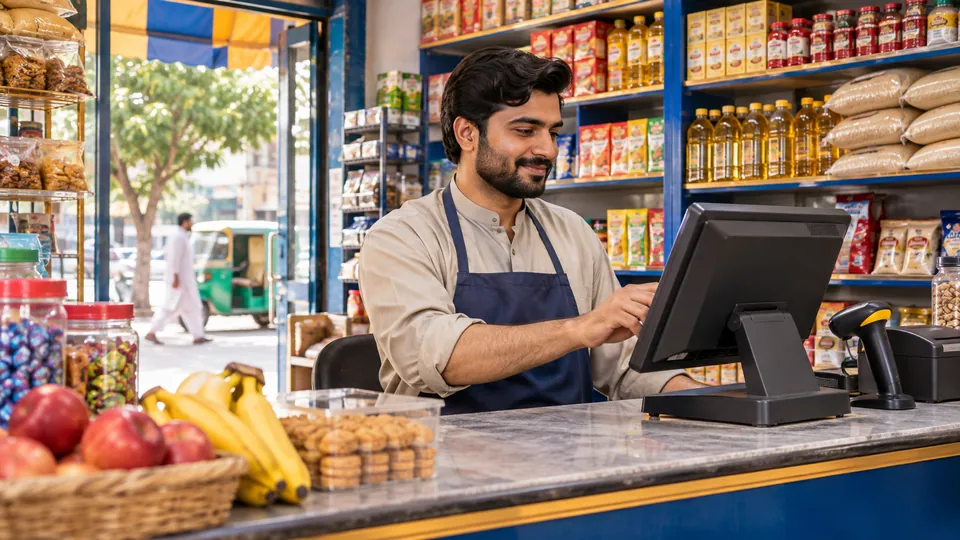
Built around your day
Less guesswork. More room to grow.
A smoother counter
Keep everyday sales and billing organised, with a clearer view of the transactions your counter team handles.
A clearer view of stock
Organise your catalogue and keep product and stock information in view as your business grows.
Information for decisions
Review sales and business activity to see what needs attention and plan your next move with greater clarity.
One connected workflow
From opening the shop to reviewing the day.
Start with the essentials, then explore the workflows that fit your business. The Smart POS team can walk you through the available setup.
01 Set up your business
Organise your products and the information your team needs.
02 Record daily activity
Bring sales and stock into a more consistent routine.
03 Review and plan
Use business information to decide what needs attention next.
Made for different businesses
POS software for different businesses
Tell us how your team works and explore a demonstration relevant to your business.
Retail & grocery POS
Support the everyday flow of products and sales.
Wholesale & trading POS
Bring purchasing, product and customer information into focus.
Restaurant & café POS
Discuss the needs of your counter and service team.
Questions before you start?
Answers for your next decision.
What is cloud POS software?
A cloud point-of-sale system helps a business record sales and keep business information together online. Smart POS brings sales, inventory and business information into one place.
Which businesses can use Smart POS?
Smart POS is designed for different businesses, including retail shops, grocery stores, trading businesses and restaurants. Ask our team to demonstrate the workflows relevant to you.
How much does POS software cost in Pakistan?
Pricing depends on your business requirements and setup. Contact the Smart POS team for current pricing and a tailored discussion.
Can I see Smart POS before deciding?
Ask our team for a demonstration tailored to your business and the way your staff work.
Will my receipt printer or barcode scanner work?
Share the make and model of your equipment with our team so compatibility and setup can be checked.
Explore POS and business management features
Choosing POS software in Pakistan starts with understanding how your team sells, orders and manages stock. Explore these workflows in a Smart POS demonstration and see how a cloud point of sale can bring your daily information together.
POS sales and billing
Keep counter sales and billing organised. Ask to see receipts, discounts, returns and payment options for the way your team serves customers.
Products and inventory management
Organise your product catalogue and keep stock information in view. Discuss categories, product variations, stock alerts and barcode labels for your business.
Purchases and suppliers
Bring purchasing and supplier information into focus. Explore how your team can record purchases, review payments and follow up on amounts due.
Customer and supplier ledgers
Keep customer and supplier records close at hand. For credit sales or khata-style account management, ask how transaction history, balances and payments are recorded.
Reports and expenses
Review sales, purchases, stock and expenses to understand the activity behind everyday decisions. Ask which reports and filters are available for your setup.
Branches and stock transfers
For businesses with a shop, warehouse or multiple locations, explore how stock movements and location-based information can be managed.
Restaurant and service workflows
Restaurants and cafés can discuss table service, order options, staff assignments and kitchen workflows suited to their operation.
Accounting and business tools
Ask about payment accounts, accounting, staff management, manufacturing, repairs and CRM where these tools fit your business requirements.
POS hardware
Planning a checkout counter? Share the model of your receipt printer, barcode scanner or other equipment so the team can check compatibility.
POS software for the way you work
From a kiryana or grocery store to a clothing shop, wholesale business, restaurant or café, each operation has a different routine. Tell us about your products, customers and locations so your demonstration can focus on the workflows that matter to you.
Feature availability, compatible hardware and commercial terms depend on your selected setup. Ask the team to confirm the details during your demonstration.
A better next step
See how Smart POS fits your business.
Tell us how your business works. We’ll walk you through sales, inventory and the features that matter to your team, and discuss a setup that fits your needs.